Assisted living technology is most useful when it supports daily care without replacing human attention. In Gilbertsville, PA, residents and families may encounter tools such as emergency call systems, medication reminders, electronic health records, telehealth equipment, fall-detection devices, and communication platforms.
These systems can improve safety, coordination, and independence. They also raise reasonable questions about privacy, reliability, cost, and whether a resident feels comfortable using them.
What types of technology are commonly used in assisted living?
Assisted living residences may use technology in several areas of daily life:
- Emergency response systems: Wall buttons, pull cords, wearable pendants, and call devices can help residents request assistance.
- Medication support: Electronic records, reminder systems, locked dispensers, and barcode checks can help staff track medication schedules and reduce errors.
- Fall-risk monitoring: Motion sensors, bed-exit alerts, wearable devices, and bathroom call systems may help staff respond more quickly when a resident needs assistance.
- Telehealth tools: Tablets, computers, cameras, digital stethoscopes, blood-pressure monitors, and other equipment may support remote appointments.
- Communication systems: Secure messaging, electronic care plans, family portals, and video calls can help coordinate information among residents, staff, clinicians, and family members.
- Environmental controls: Automated lighting, voice-controlled devices, door alerts, and temperature controls may make a living space easier to use.
Technology varies considerably from one residence to another. A device may be present but used only for specific residents, care situations, or emergency procedures.
How can technology improve resident safety?
Technology can create additional layers of support, particularly for residents who have mobility challenges, memory loss, or complex health needs. An emergency call button, for example, may allow someone to request help after a fall or sudden illness.
Sensors can alert staff when a resident leaves bed unexpectedly, enters an area that may be unsafe, or has not moved during a period when movement would normally be expected. These alerts are not the same as constant supervision. They are signals that may prompt a response.
Medication technology can also support safer routines. Electronic documentation helps staff see whether a dose was offered, administered, declined, or held according to instructions. Technology does not replace clinical judgment, and medication changes still require appropriate authorization and documentation.
In homes affected by winter weather, power outages, or icy walking conditions, reliable emergency communication and backup procedures become especially important. Residents and families should ask how systems operate during a power failure, internet interruption, or severe storm.
Does technology help residents remain independent?
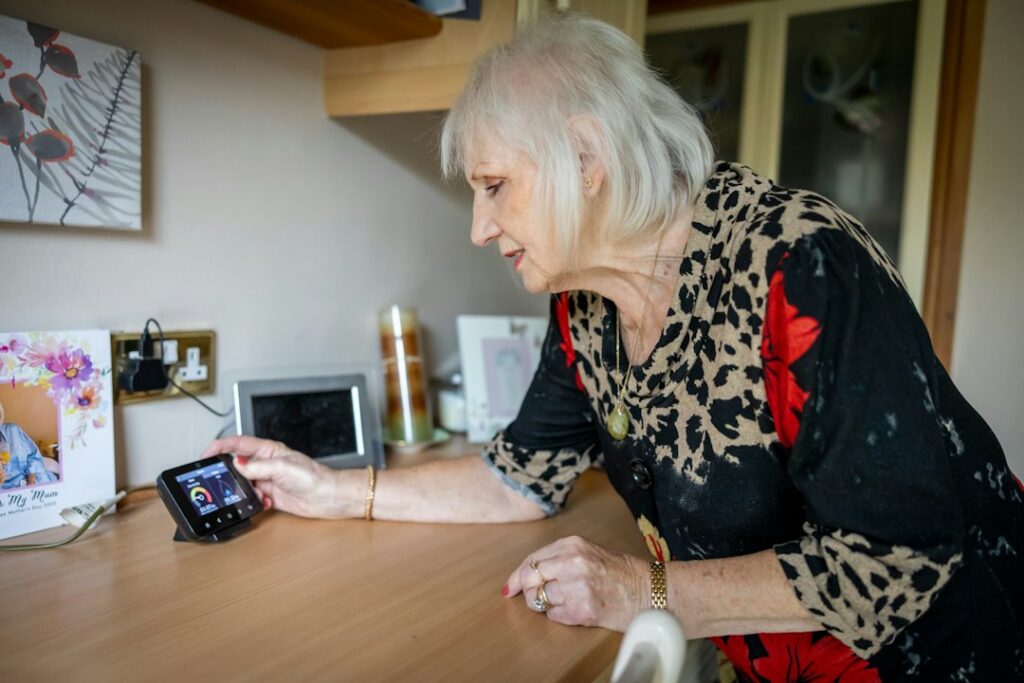
It can, when it is matched to the resident’s abilities and preferences. A voice-controlled light may help someone with limited hand strength. A digital reminder may support a resident who occasionally forgets an activity or appointment. Video communication can help a person stay connected with family without needing to travel.
Technology should make tasks easier rather than create new barriers. Large text, clear audio, simple controls, and consistent routines are often more useful than systems with many complicated features.
Independence also includes the ability to make choices. A resident may prefer a wearable emergency device instead of a room-based system, or may want alerts shared only with selected people. These preferences should be discussed as part of the care-planning process.
How does technology support family communication?
Digital communication can help families receive timely updates, but it should not create unrealistic expectations. Depending on the residence and the resident’s permission, families may receive information about appointments, care-plan changes, activity participation, or significant events.
Video calls can be valuable for residents who cannot easily travel, especially during periods of illness or difficult winter driving conditions. Digital photos, messages, and shared calendars may also help families stay involved in everyday life.
Families should ask what information can be shared, who is authorized to receive it, and how quickly messages are answered. A communication platform is not necessarily monitored continuously and should not be treated as an emergency system.
Can telehealth replace an in-person medical visit?
Usually, no. Telehealth can be useful for follow-up visits, medication discussions, behavioral health appointments, chronic-condition check-ins, and situations where travel is difficult. It may also allow a staff member to help a resident use a blood-pressure cuff, scale, or other device during a visit.
Some concerns require hands-on examination, testing, imaging, or urgent evaluation. Staff and clinicians must decide whether remote care is appropriate for the particular issue.
Residents may also have difficulty hearing, seeing the screen, understanding instructions, or communicating privately through a device. Good telehealth support includes a quiet setting, working equipment, adequate lighting, and enough time for the resident to participate.
What privacy questions should families ask?
Privacy is a central concern because technology may collect health information, movement patterns, audio, video, or emergency data. Families should ask:
- What information is collected?
- Who can view or receive it?
- How long is it stored?
- Is audio or video recorded, or is the system alert-only?
- What happens if a resident does not want a device?
- How are passwords and devices protected?
- How are technology failures documented and addressed?

A monitoring system should be explained in plain language, particularly when it involves a resident with memory impairment. Consent, dignity, and the least intrusive approach should remain part of the discussion.
A sensor that detects movement may be less intrusive than a camera. A wearable alert may offer safety support without recording conversations. The appropriate choice depends on the resident’s needs and preferences.
What are the limitations of assisted living technology?
Technology can malfunction, lose power, disconnect from the internet, produce false alarms, or be ignored because of alert fatigue. A resident may forget to wear a device, remove it because it is uncomfortable, or be unable to reach a wall-mounted button.
Technology also cannot reliably interpret every situation. A motion sensor may show that someone moved, but it may not explain whether the person is safe, confused, injured, or simply changing rooms.
For these reasons, technology works best as one part of a broader safety plan that includes trained staff, regular check-ins, emergency procedures, maintenance, and clear documentation.
How can residents and families evaluate a technology system?
The most useful questions are practical rather than technical:
- What problem is this system designed to solve?
- What does the resident need to do for it to work?
- Who receives an alert, and how quickly is a response expected?
- Is there a backup process if the system fails?
- Can the resident decline or change the device?
- Will the technology interfere with sleep, privacy, hearing, mobility, or personal routines?
- Are there additional fees or replacement costs?
- How will staff explain the system and provide training?
Residents should be included in demonstrations whenever possible. A family member may understand a device quickly, while the resident finds it confusing or intrusive. Testing the system during ordinary routines can reveal problems that are not obvious during a formal explanation.
The central question is not whether a residence uses the newest technology. It is whether the tools are dependable, understandable, respectful, and connected to responsive human care.